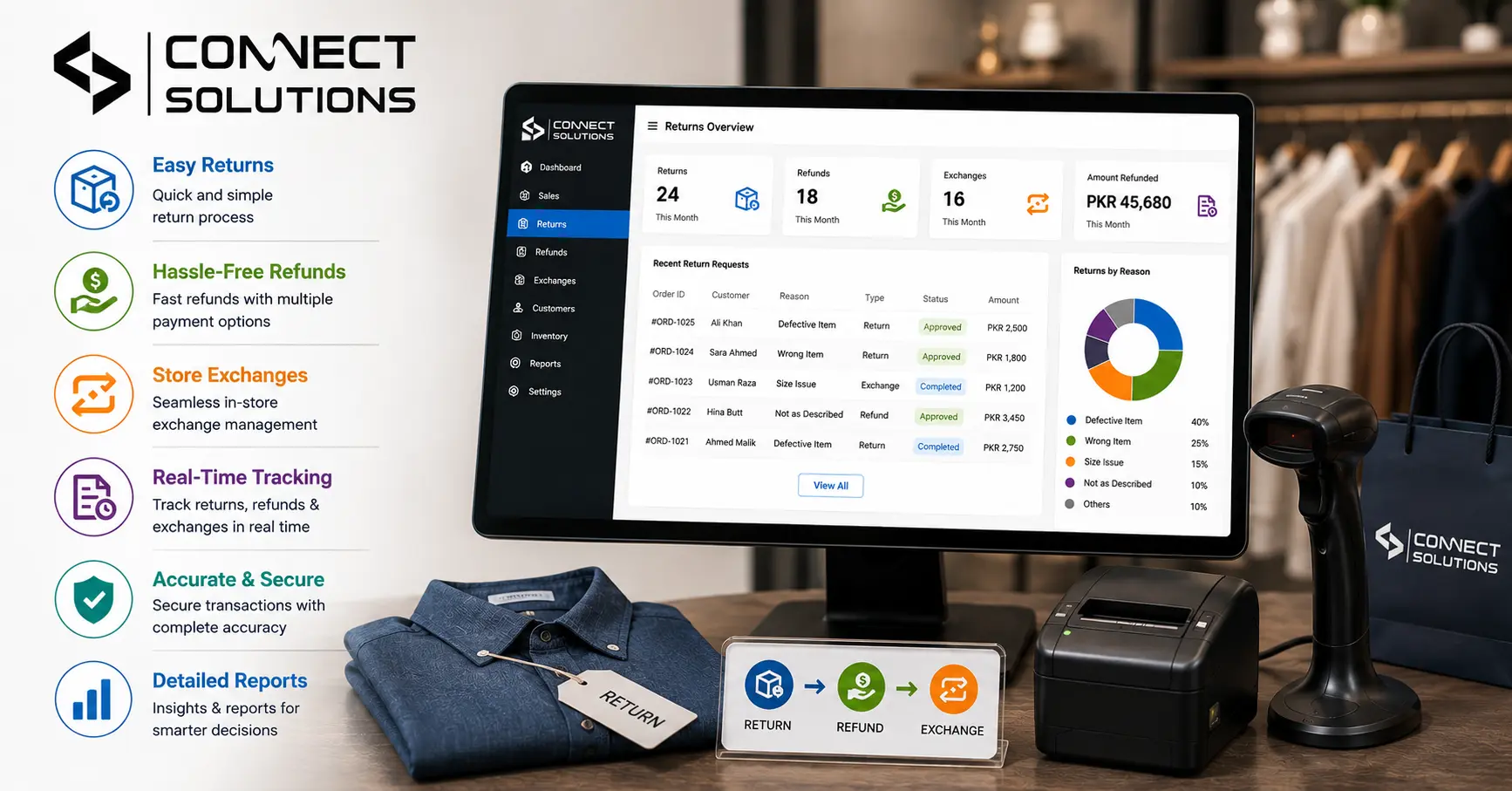
Managing a shop in Pakistan requires speed. Customers expect quick service for every product return. The POS software handles returns, refunds, and store exchanges instantly. This article details how a point of sale system automates refund management. We explore inventory updates, store credit, and fraud prevention methods. You will see how billing software manages original transaction data. This overview covers policy enforcement and omnichannel returns for your brand. Master your retail management system with Connect Solutions to keep shoppers happy and loyal. Follow these tips to improve your customer experience in Pakistan.
How POS Software Processes Product Returns
Processing a product return should never feel like a chore for your staff. Your retail POS software starts by identifying the original transaction through a receipt lookup. The cashier simply scans the product barcode to find the item in the system.
This automated returns and refunds process ensures the data matches the original sale. The POS system then prompts for a return reason to help you track trends. Finally, the system prints a return receipt for the customer’s peace of mind.
How POS Software Manages Refunds
Handling money back requires a very secure and organized approach. Modern billing software allows for a full refund or a partial refund based on the situation. You can issue a cash refund for small amounts or a digital wallet refund for online payments.
The refund management system tracks every rupee leaving your cash drawer. It uses refund authorization to ensure only managers approve large payouts. This keeps your payment processing transparent and prevents errors in your daily totals.
How POS Software Handles Store Exchanges
Exchanging a product is a great way to keep a sale alive. When a customer wants an item replacement, the POS software calculates the price difference instantly. If the new item costs more, the customer pays the additional amount.
If the new item is cheaper, the system issues an exchange credit or store credit. This exchange processing works for a size exchange, color exchange, or even a different model exchange. It makes the item swap fast and professional for every shopper.
How POS Software Updates Inventory After Returns and Exchanges
Your stock levels must stay accurate to avoid selling items you do not have. When a returned product is accepted, the system triggers a real-time stock update. If the item is a resalable item, it goes back into available stock.
If it is one of the damaged items, the inventory management tool marks it as non-sellable. This inventory synchronization happens across all your branches in Pakistan. It prevents overstocking and helps you maintain a centralized inventory.
How POS Software Supports Partial Refunds and Store Credit
Sometimes a customer only wants to return one item from a large bundle. Your POS billing software easily handles a partial refund for that single item. Instead of giving cash, many Pakistani retailers prefer offering store credit.
The POS system saves this credit to the customer profile for future use. This encourages repeat purchases and builds strong brand loyalty over time. It is a smart way to manage your transaction adjustment without losing revenue.
| Feature | Description | Benefit |
| Return processing | Quick scan and verify | Saves time |
| Store credit | Digital vouchers | Retains cash |
| Inventory update | Real-time tracking | Accurate stock |
| Refund reports | Detailed analytics | Better insights |
How POS Software Handles Returns Without a Receipt
Losing a receipt is a very common problem for many shoppers. A robust retail management system solves this through an order lookup using a phone number. You can search the purchase history to verify the original payment method.
If no record exists, the software can still allow no-receipt returns at a set price. This return management feature ensures you remain fair while protecting your business. It improves the customer experience by reducing frustration during the return process.
How POS Software Enforces Return and Refund Policies
Rules are necessary to keep your retail operations running smoothly. You can program your return policy directly into the point of sale software. For example, the system can block returns if the return window has expired.
It can also automatically apply restocking fees for specific product categories. These user access controls ensure staff follows company rules every time. This consistency builds customer trust because everyone receives the same treatment.
How POS Software Tracks Return History and Customer Data
Knowing your customers helps you make much better business decisions. The POS software records every return history entry against a customer profile. You can see if a specific person makes excessive returns frequently.
This data helps you identify customer return behavior and potential issues. You can use these business insights to improve your product selection. It turns a negative return into a valuable piece of retail analytics.
How POS Software Prevents Return and Refund Fraud
Fraud can quickly drain the profits of a small business. POS software uses receipt verification to ensure the item was actually bought. Manager approval is required for all negative transaction value entries.
The system also flags suspicious returns that do not match past trends. Role-based permissions stop unauthorized staff from processing fake refunds. This fraud prevention keeps your hard-earned money safe and secure.
How POS Software Supports Omnichannel Returns
Modern Pakistani retail often happens both online and in physical shops. Omnichannel returns allow a customer to buy online and return in-store. The unified inventory updates instantly regardless of where the return happens.
Your POS system handles these cross-channel returns without any data gaps. It provides a seamless exchange experience for your tech-savvy customers. This online-to-store returns capability is essential for growing brands.
How POS Software Generates Return and Refund Reports
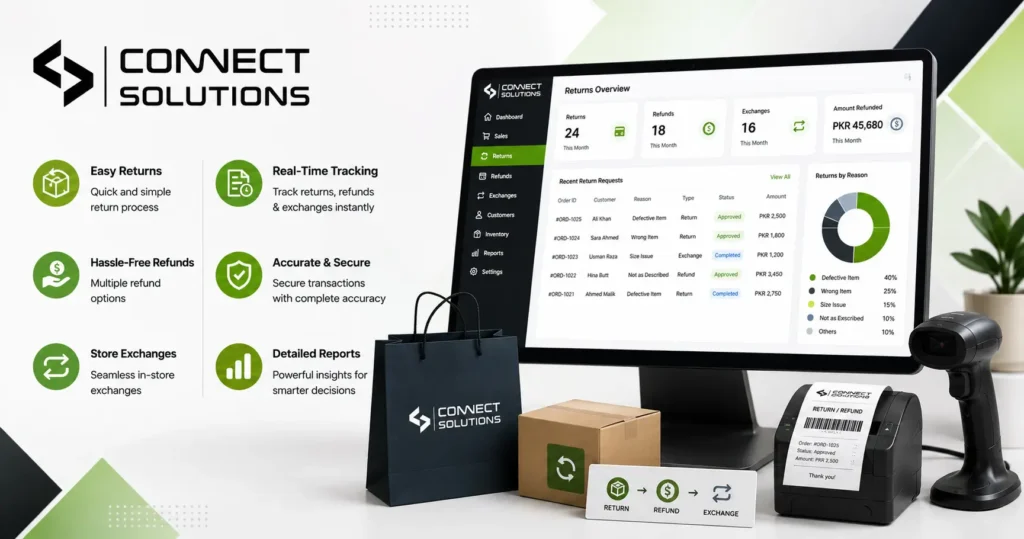
You cannot manage what you do not measure in your business. Use retail analytics to generate detailed return reports and refund reports. These documents show you the return rate for different product lines.
You can see which damaged items are costing you the most money. This return rate analysis helps you negotiate better terms with your suppliers. Regular reporting and analytics lead to much more profitable shop management.
Benefits of Managing Returns and Refunds with POS Software
- Increases customer satisfaction through fast and easy processing.
- Maintains a high level of inventory accuracy automatically.
- Reduces the risk of return fraud and employee errors.
- Builds long-term customer loyalty with flexible refund options.
- Provides clear business insights through automated data collection.
Best Practices for Managing Returns and Refunds with POS Software
Always train your staff on how to use the POS billing machine properly. Set clear return authorization levels to protect your cash flow. Encourage the use of store credit to keep money in the business.
Regularly review your return trends to find low-quality products. Keep your return policy visible near the POS terminal for customers. These steps ensure your retail transaction management remains world-class.
How Connect Solutions POS Software Simplifies Return Management
Connect Solutions offers the best point of sale system for Pakistani retailers. Our POS billing system is designed for the local market. It manages everything from barcode scanning to stock synchronization.
The price range for our software is 50,000–150,000 PKR depending on your needs. We provide excellent support to help you master return processing. Choose a partner that understands the challenges of retail in Pakistan.
Conclusion
A modern point of sale software is a vital tool for success. It can make sure that POS software handles returns, refunds, and store exchanges flawlessly. Your time is saved; you are protected from fraud. Keeps your customers very happy. Start optimizing your retail business with a reliable system today.
Ready to boost your sales? Visit Connect Solutions today or call +92 300 1110365 for a free demo!
Frequently Asked Questions (FAQs)
How does POS software handle returns?
The software scans the receipt and updates stock while processing the refund or exchange for the customer.
Can I process a refund without a receipt?
Yes, you can use the customer’s phone number or purchase history to find the original transaction details.
How does the system update inventory after a return?
The software automatically adds resalable items back to your stock levels once the return is finalized.
Does the software prevent refund fraud?
The system requires manager approval and verifies the original purchase to stop unauthorized or fake refund requests.
Can I track why customers return items?
Yes, the software lets you record return reasons to analyze product quality and customer behavior trends.