Skip to main content
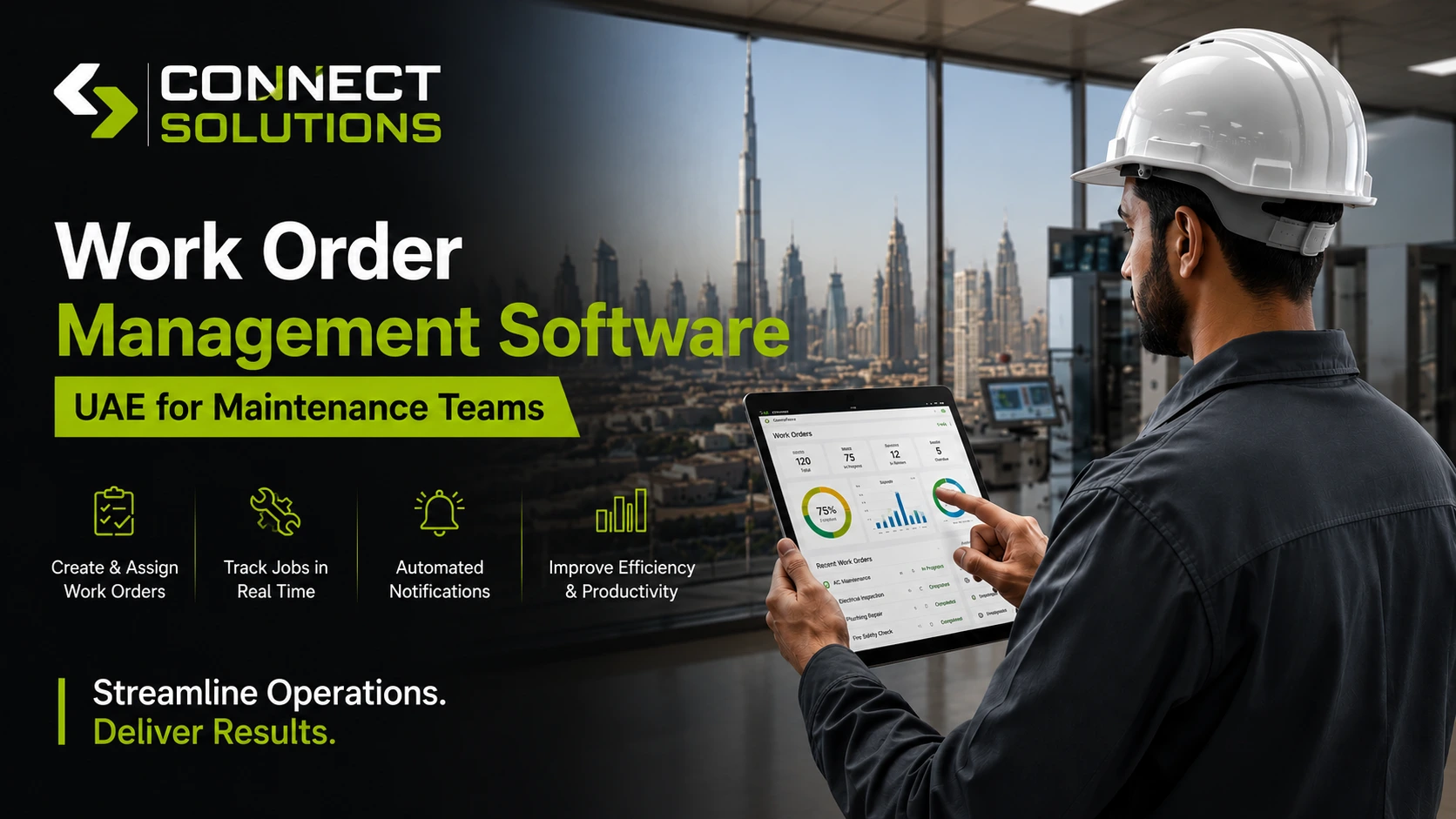
A work order is really just a record of a job. Something broke, someone needs to fix it, and there’s a trail showing who did what and when. Simple enough on paper. The problem is most maintenance teams in the UAE are still running that trail through group chats, sticky notes, and spreadsheets that three different people are editing at once.
This isn’t just another app to check. It’s work order management software UAE teams have started adopting because it finally puts the entire work order lifecycle, from the first complaint to the final invoice, into one place everyone can actually see.
Manual work orders slow everything down. A technician gets a job through a phone call, writes it on paper, loses the paper, and the office has no idea the job even happened until the customer calls again asking why nobody showed up. Multiply that across ten technicians and thirty jobs a day, and you’ve got a business that’s growing despite its own process, not because of it.
This is where Connect Solutions comes in, built specifically to bring digital work order management to UAE service and maintenance businesses without a painful learning curve.
What Is Work Order Management Software?
How It Works
A customer submits a service request, the system logs it as a work order automatically, and it gets routed to the right technician based on availability and skill. This is service request management in its simplest form. Every stage of work order tracking happens digitally instead of on a piece of paper that might not survive the drive to the next job, which is really all a decent work order tracking software needs to do well.
Digital vs Manual Work Orders
Here’s the difference in practice:
| Task | Manual Work Order | Digital Work Order Management |
| Logging a job | Written down or texted | Created instantly as a ticket |
| Assigning a technician | Manager calls around | Assigned from a live dashboard |
| Tracking progress | Guesswork until they call in | Real-time status updates |
| Storing history | Paper file or random folder | Centralized customer record |
| Closing the job | Manual invoice, later | Auto-generated on completion |
Why Businesses Are Moving to Digital Workflows
Cloud computing made this shift possible. Field service management software now runs on a phone as easily as a desktop, so even a small maintenance company can run the same kind of operation a large one used to need a full back office for. Some platforms are even starting to pull in IoT sensor data, flagging a unit that’s overheating or overdue for service before anyone picks up the phone.
Common Challenges Businesses Face Without Work Order Software
These aren’t rare problems. They show up in almost every team still working off paper or spreadsheets:
- Paper-based work orders that get lost, smudged, or left in a van overnight
- Missed service requests because nobody followed up on the callback
- Delayed technician dispatch, where a job sits for hours before anyone’s assigned
- Poor communication between the office and whoever’s actually on-site
- Lack of visibility into what’s happening until a technician calls in
- Lost maintenance history, so nobody remembers what was done last time
- Scheduling conflicts, sending two technicians to the same job and none to another
How This Platform Simplifies Work Order Management
Digital Work Orders
Every job becomes one of several digital job cards, complete with photos, notes, and status updates, instead of a slip of paper that might not make it back to the office.
Smart Job Scheduling
Job scheduling happens from a live dashboard, so dispatchers can see who’s free and assign work without a single phone call.
Technician Dispatch
Technician dispatch gets faster once the mobile workforce is visible in real time. The right person gets the closest job, not just whoever picked up the phone first.
Live GPS Tracking
Live technician tracking through GPS means the office always knows where a job stands, and route optimization keeps technicians from crisscrossing the same city for no reason.
Mobile Technician App
This is the work order app for technicians that actually gets used, since everything from job details to customer history sits right on their phone.
Customer Management
Every customer’s service history, contact details, and preferences live under one profile, which is where basic CRM functionality earns its place inside the platform.
Asset and Equipment Tracking
Asset management means knowing exactly which unit, serial number, or piece of equipment belongs to which site, so technicians aren’t guessing what they’re working on.
Inventory Management
Spare parts tracking and general inventory management mean a technician knows what’s in stock before leaving the warehouse, not after arriving on-site empty-handed.
SLA Tracking
SLA compliance gets monitored automatically, flagging any job at risk of breaching its response window before a customer has to complain.
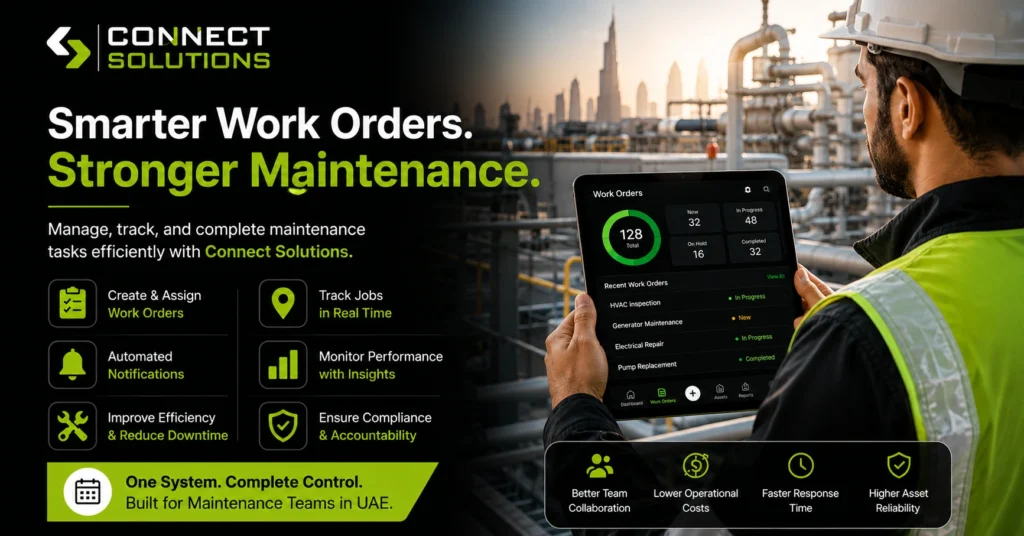
Reports and Business Analytics
Owners get a clear view of technician output, response times, and revenue, all without pulling numbers together by hand at the end of the month. This is usually the part that separates basic scheduling tools from real maintenance management software.
Still managing work orders through spreadsheets, emails, or WhatsApp? With Connect Solutions, you can create digital work orders, assign technicians instantly, track job progress in real time, and manage your entire field service operation from one cloud-based platform. Reach out at +92 300 1110365, +971 457 13703 (UAE), or info@connect-sol.com.
The Complete Work Order Lifecycle
Here’s what the full work order lifecycle looks like once it’s digitized, start to finish:
- A customer submits a service request.
- The work order is created automatically.
- A technician is assigned based on location and skill.
- GPS navigation guides them to the job site.
- Work begins, tracked through the mobile app.
- Photos and notes are uploaded on the spot.
- The customer signs off digitally.
- An invoice generates instantly.
- The report gets stored against the customer’s history.
- Preventive maintenance for that asset gets scheduled automatically.
Corrective maintenance and recurring maintenance both flow through this same lifecycle; the only difference is whether the job started from a breakdown or a routine calendar trigger.
Key Features Every Work Order Management System Should Include
- Work order creation
- Technician scheduling
- Mobile workforce management
- GPS tracking
- Asset management
- Preventive maintenance scheduling
- Inventory management
- Customer CRM
- Digital approvals
- Reports and dashboards
Industries That Benefit from Work Order Management Software
Plenty of businesses search for work order software for maintenance companies or work order software for field service businesses, and the industries below are usually where that search starts:
- HVAC companies, where work order management software for HVAC companies handles seasonal spikes in service calls
- Facility management firms running work order software for facility management companies, often paired with general facility maintenance software.
- Home appliance services
- CCTV and security installers
- Plumbing contractors
- Electrical services
- Fire and safety companies
- Elevator maintenance teams
- Cleaning services
- MEP contractors
Why UAE Businesses Choose This Kind of Platform
A genuinely cloud-based work order management software UAE teams can rely on tends to check a few boxes: it works from anywhere, it’s mobile-first so field staff actually use it, and it’s built around how UAE businesses operate rather than adapted from a template made for a different market.
Some businesses call this cloud work order management software. Others just call it their dispatch system. Either way, the idea holds once a team grows past a certain size: nobody can track every technician’s location from memory anymore, which is exactly where decent field technician software starts to matter. Add reliable work order scheduling software into the mix, and even the busiest days, three jobs coming in at once, someone calling in sick- don’t turn into chaos. That’s really what service dispatch software is for.
Implementation doesn’t take weeks, workflows scale as the business grows, and everyone gets real-time visibility instead of waiting for an end-of-day phone call. The result is faster service delivery and a noticeably better customer experience, the kind that gets a maintenance contract renewed instead of shopped around. Businesses searching for job scheduling software UAE usually land here for the same reasons.
Best Practices for Managing Work Orders
Good maintenance software and proper technician software habits tend to go together. A few things worth building into any maintenance scheduling software routine:
- Standardize your workflow so every technician follows the same steps
- Automate recurring maintenance instead of relying on someone’s memory
- Track technician performance regularly, not just when something goes wrong
- Keep service history centralized in one system, not scattered across files
- Monitor SLA compliance so issues get caught before customers notice
- Review business reports on a set schedule, not just once a year
FAQs
What is work order management software?
It’s a digital work order management system that tracks maintenance requests, service requests, technician dispatch, and job history in one connected platform, instead of paper or spreadsheets.
How does it improve field service operations?
By replacing phone-based dispatch and manual tracking with live scheduling, GPS tracking, and mobile updates, most field service software cuts response times significantly.
Can technicians update work orders from mobile devices?
Yes. A proper mobile work order management setup, or mobile work order software for technicians, as some call it, lets technicians view job details, upload photos, and close tickets straight from their phone.
Does it support preventive maintenance?
Yes. Preventive maintenance and recurring maintenance get scheduled automatically once a job or asset is set up in the system.
Does it integrate with CRM and ERP systems?
Most platforms do. Whether it’s dedicated CRM software, broader FSM software, or your existing ERP tool, syncing means customer and financial data don’t have to be entered twice.
Is it suitable for small businesses?
Yes. Even a small team benefits from basic job management software, since missed jobs and lost paperwork hurt a small business just as much, if not more.
Can I track technicians in real time?
Yes. GPS-based live tracking shows exactly where every technician is, which helps both dispatch and customer updates.
Which is the best work order management software in the UAE?
That depends on your team size and industry, but the strongest options for UAE businesses are cloud-based, mobile-first, and built with local service operations in mind rather than adapted from elsewhere.
Conclusion
Digital work order management does more than tidy up paperwork. It improves technician productivity, keeps customers informed, and gives owners actual visibility into how the business is running day to day. For teams comparing options, the best work order management software in the UAE usually comes down to whichever platform fits how your technicians already work, not the other way around. Good job scheduling and work order software UAE teams rely on should feel invisible once it’s running.
Connect Solutions built its platform specifically to help UAE maintenance and field service businesses automate these workflows, cut down on delays, and deliver the kind of reliable service that keeps contracts renewed.
Ready to see how it fits your team? Call +92 300 1110365 or +971 457 13703 (UAE), or email info@connect-sol.com to book a free walkthrough.